Woocommerce – add new order for customer
Adding order for customers in Woocommerce
Follow the following steps to add an order for a client within their woocommerce account
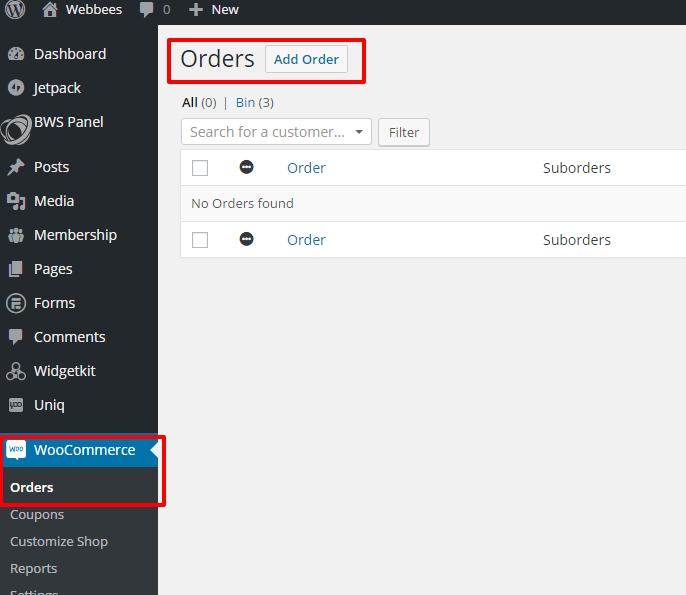
1- Go to woocommerce order and ‘Add Order’
2- Select client by typing the first three letters

3- Add items to the order

4- Option to change the quantity or price

5- Unfortunately it does not calculate the total and you need to edit this manually

6- Once the order has been created you can change the status or create an invoice. Don’t forget to save the order.

June 2016
