Create New Account with Webbees
Step 1 – Login to https://webbees.co.uk/my-account/ with your email address and password that was sent to you
Step 2 – Change your password!
Step 3 – Update your details.
Step 4 – If you have been notified that there is an invoice waiting to be paid then please visit the ‘orders’ tab
Step 5 – View other features of the website
Please note:
Your details are kept secure and only for the purpose of maintaining a customer relationship with Webbees
Our website is SSL secured and encrypted
On one of the tabs it gives you the option to save card details. The details are managed by Stripe and only the last 4 digits are displayed on our website.
We hope by giving clients an online experience it will be easier and time saving for you to manage invoices.
We are in the process of adding tutorials, guides and other video resources to help our clients manage their website. These can only be viewed once you signed on and viewed from the ‘Services’ tab > ‘Tutorials’
Please don’t forget to view the ‘Interesting’ link for items that be to your interest too.
Step 1 – Login to https://webbees.co.uk/my-account/ with your email address and password: PleaseChangeNow

Step 2 – Change your password!

Step 3 – Update your details.

Step 4 – If you have been notified that there is an invoice waiting to be paid then please visit the ‘orders’ tab

Step 5 – view other features of the website
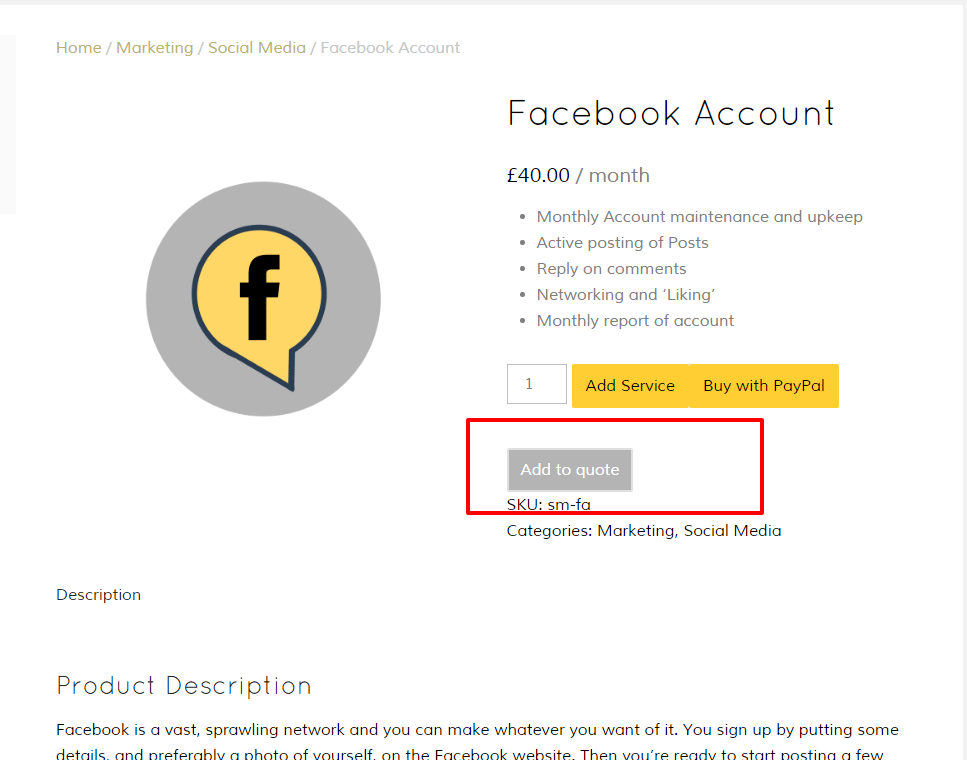
‘Add to Quote’
Need a guide price to extend your website? Find the services and select ‘add to quote’ Send it off and we will give the best price and timeline for our customers.
‘Interesting’
We like to share some interesting websites, tools and links. A place to come back to and find something new..

Contact ‘Get in touch’
Don’t hesitate to contact us for any questions.
Also please do forget to link up with Facebook and Google plus (you might even consider writing us an amazing review)

